Everything your estate needs, in one portal
Hardware, software licenses, consumables and accessories, with every handover, repair and disposal on record. Every plan includes every feature.
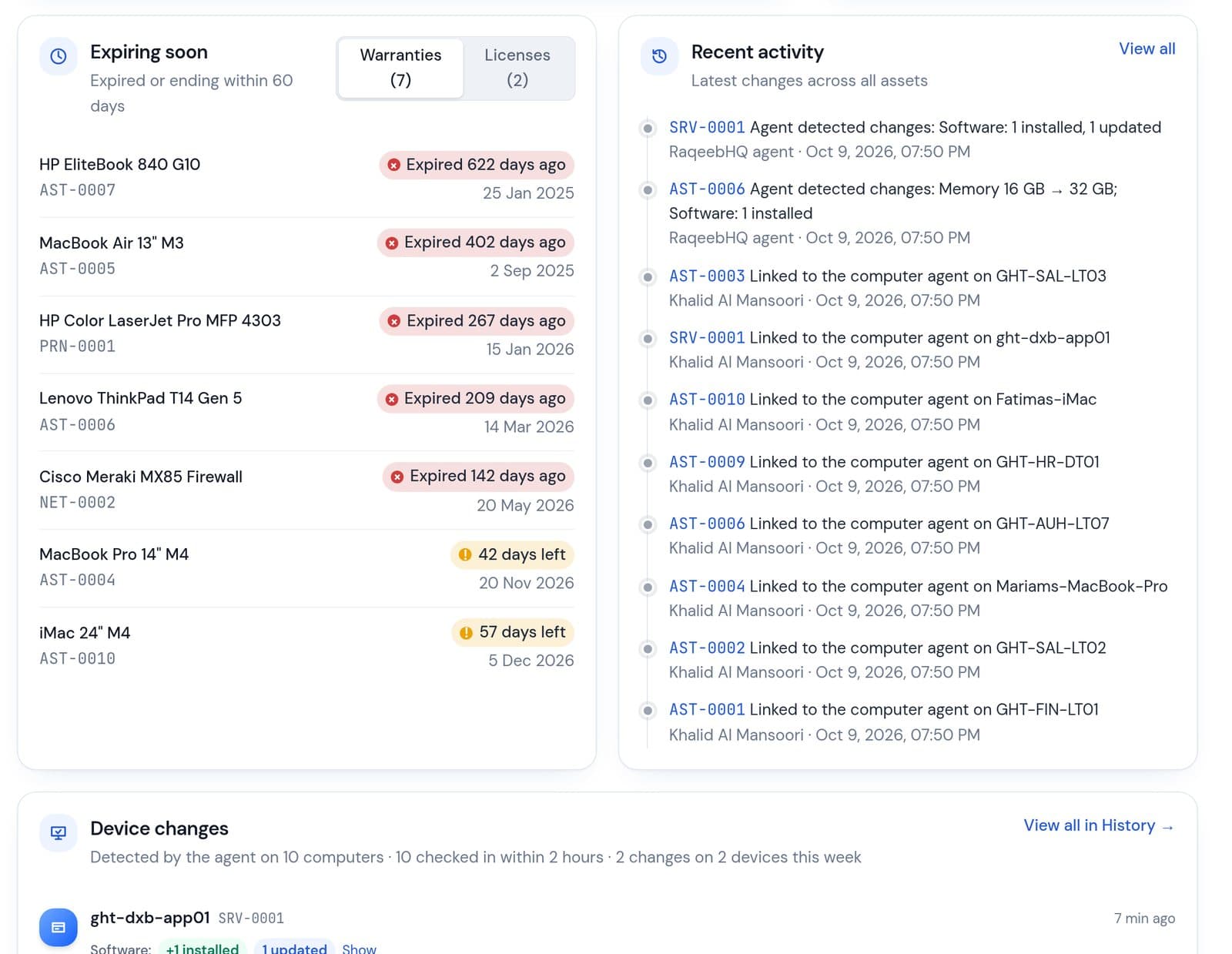
Your whole estate on one screen
Active assets, portfolio value, utilisation and a Needs attention list covering expired and expiring warranties, expired licenses, lost assets, overdue check-outs, receipts waiting for a signature and overdue maintenance.
- Every tile and chart row opens the filtered list behind it
- Acquisitions and categories switch between count and value
- Agent check-ins, signatures and maintenance updates appear live
Every asset, searchable and on one page
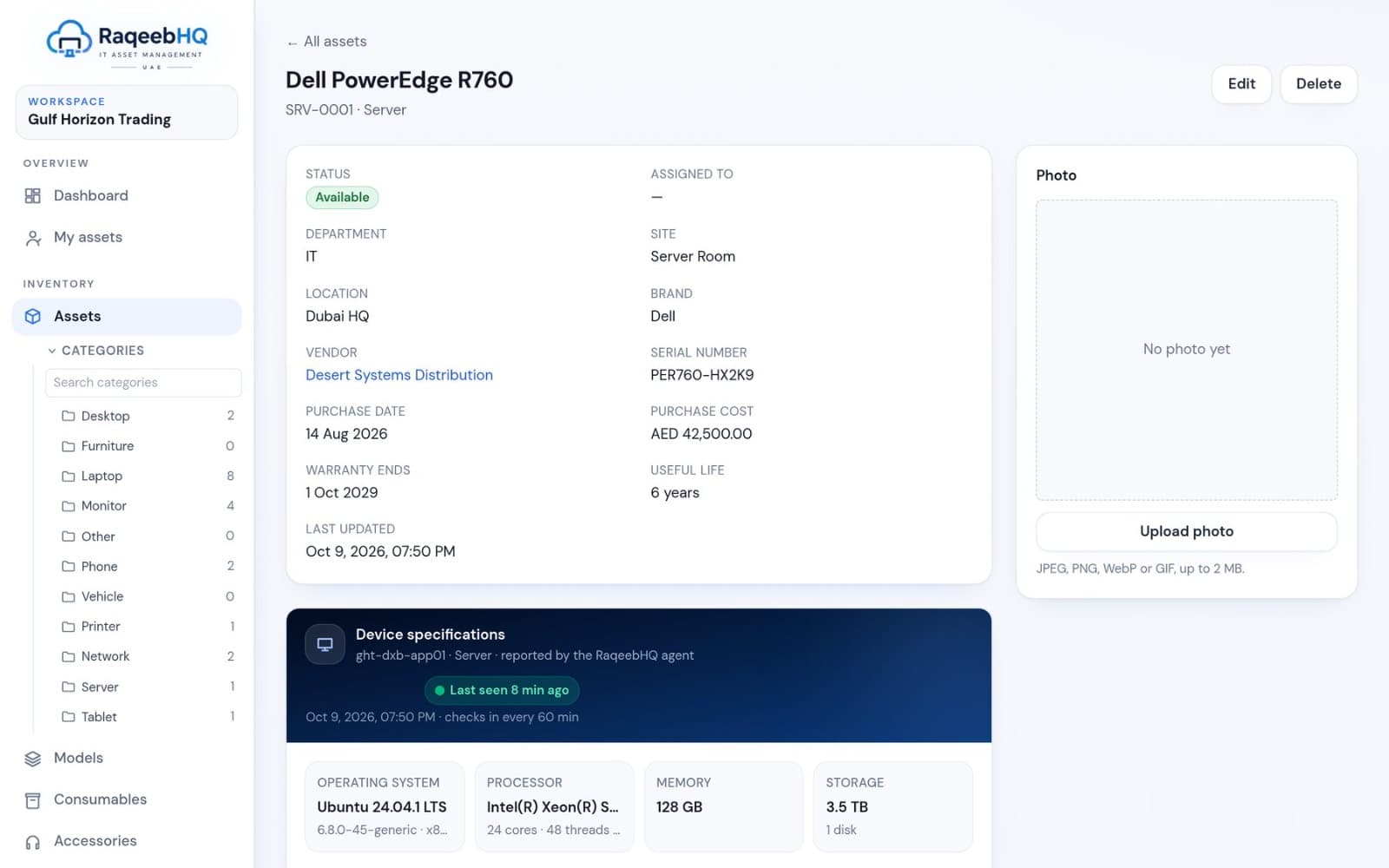
Search by tag, name, serial number and holder; filter by status, category, site, location, department, brand and vendor. Each asset's page holds status, holder, purchase and warranty details, agent specs, check-outs, maintenance and full history.
- Tag series per category (AST-, SRV-, NET-, PRN-, TAB-) with automatic numbering
- Custom fields per category, such as MAC address or IMEI
- Printable QR asset labels for spot checks
- Photos per asset and default photos per category
Computers that report themselves
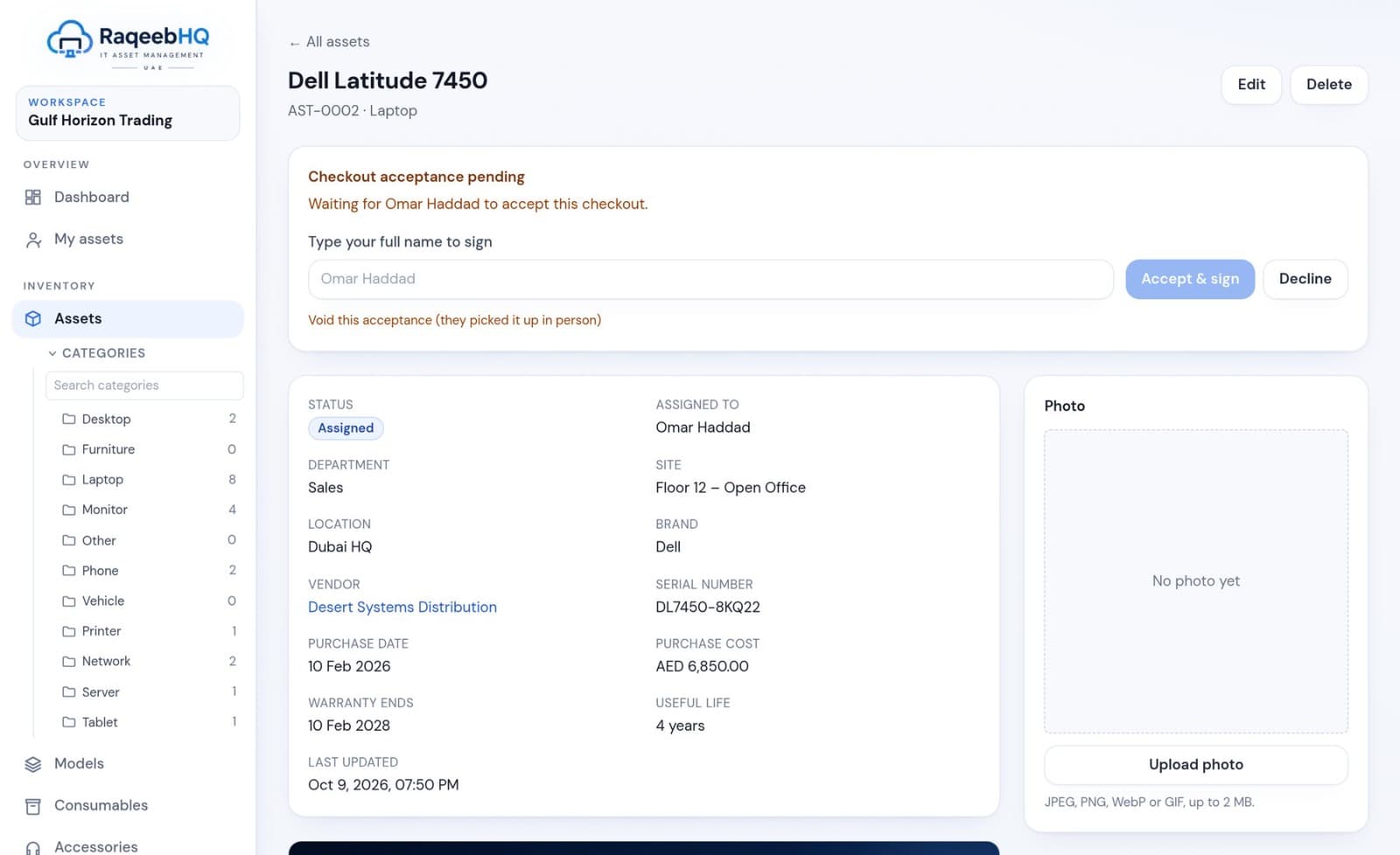
A small agent for Windows, macOS and Linux checks in every hour with the computer's specifications and installed software. New computers wait in an inbox until you register them or link them to an existing asset.
- Single-use install keys, generated after re-entering your password
- Hardware and software change detection with email alerts
- Collects specs only: never screens, files, browsing or keystrokes
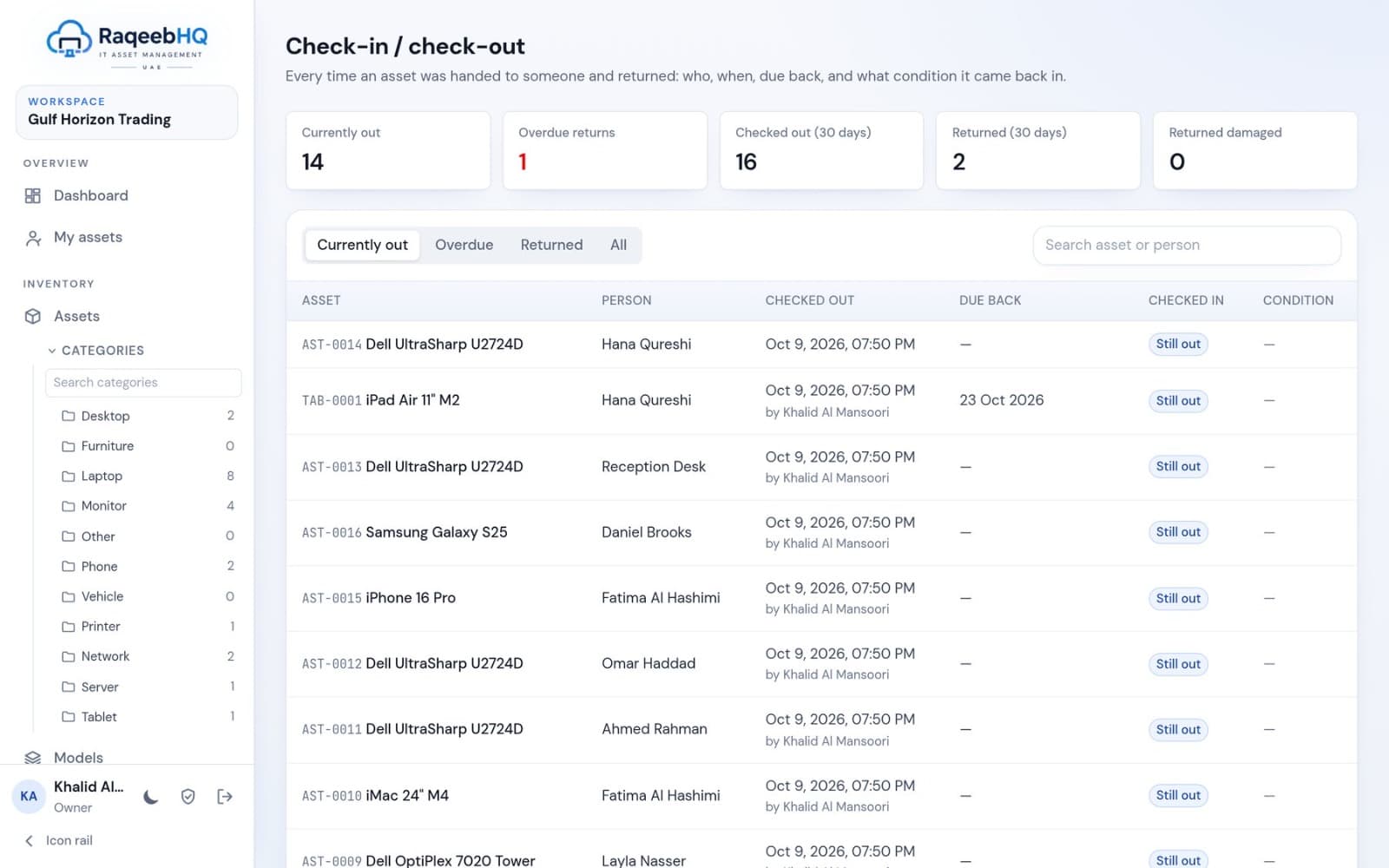
Every handover on record
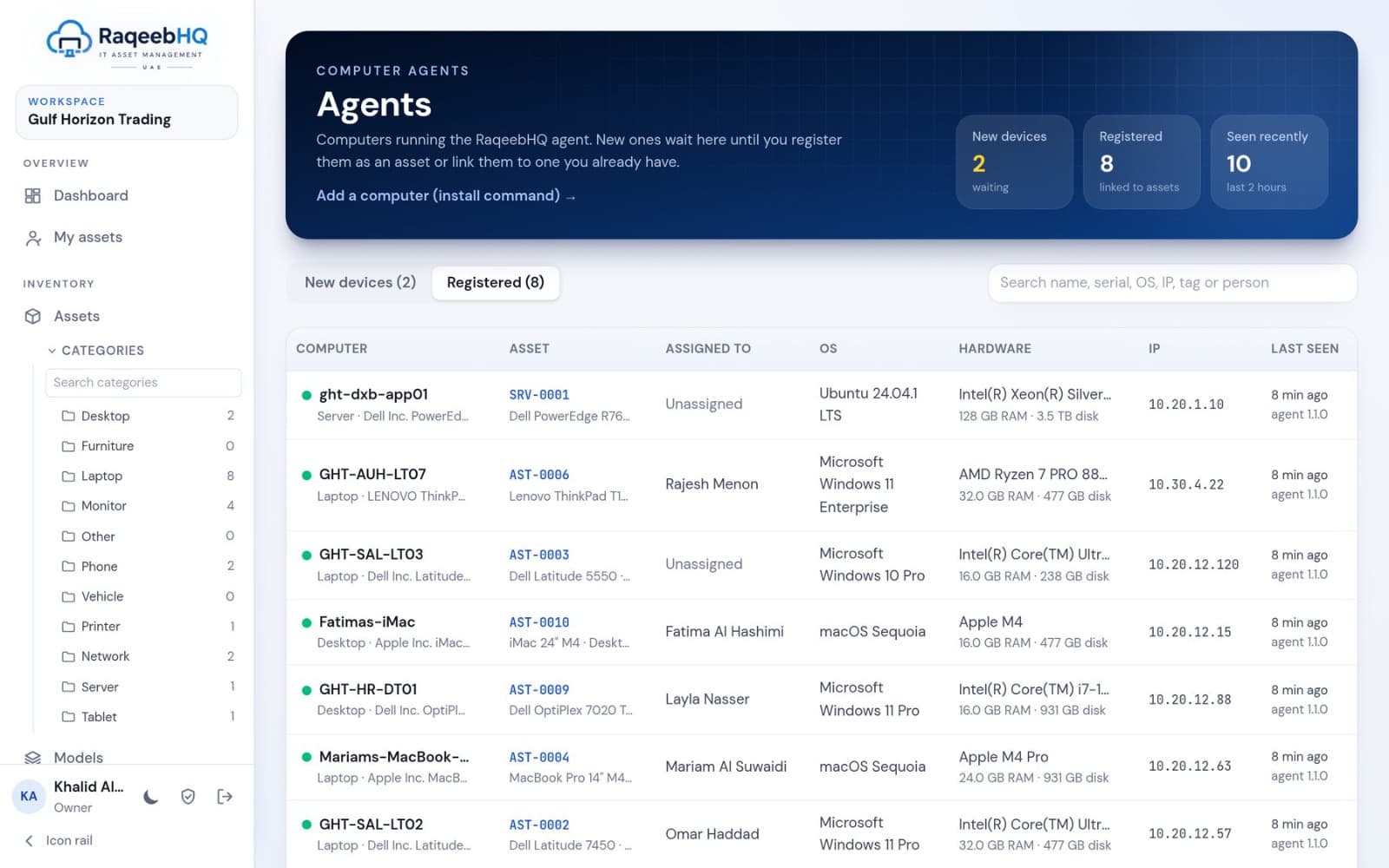
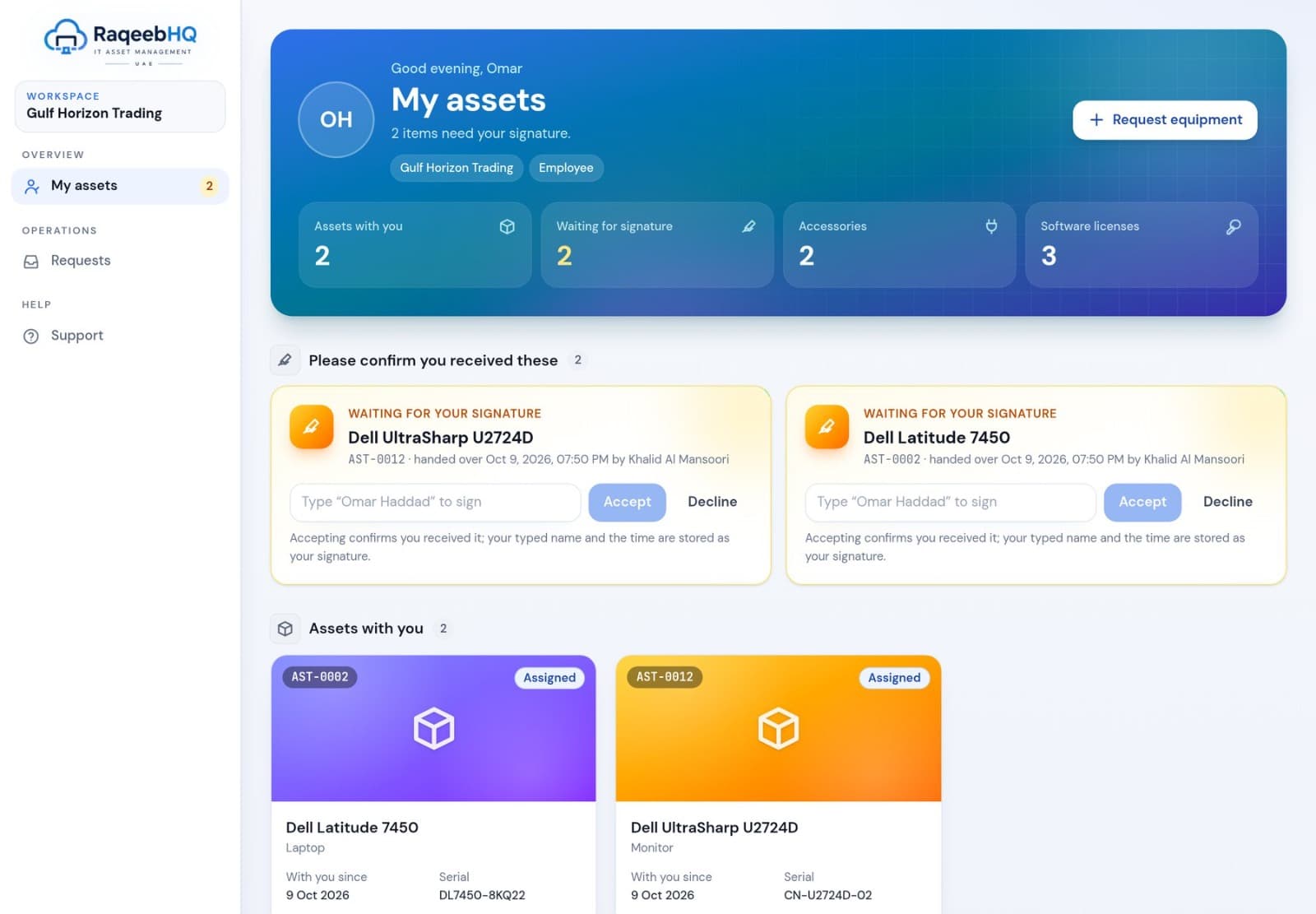
See what's out, what's overdue, what came back and in what condition. Each check-out sends the recipient an acceptance request; their typed signature and the time are stored with the check-out.
- Due dates and overdue highlighting
- Return condition: good, fair or damaged, with notes
- Employees confirm receipt from their own “My assets” portal
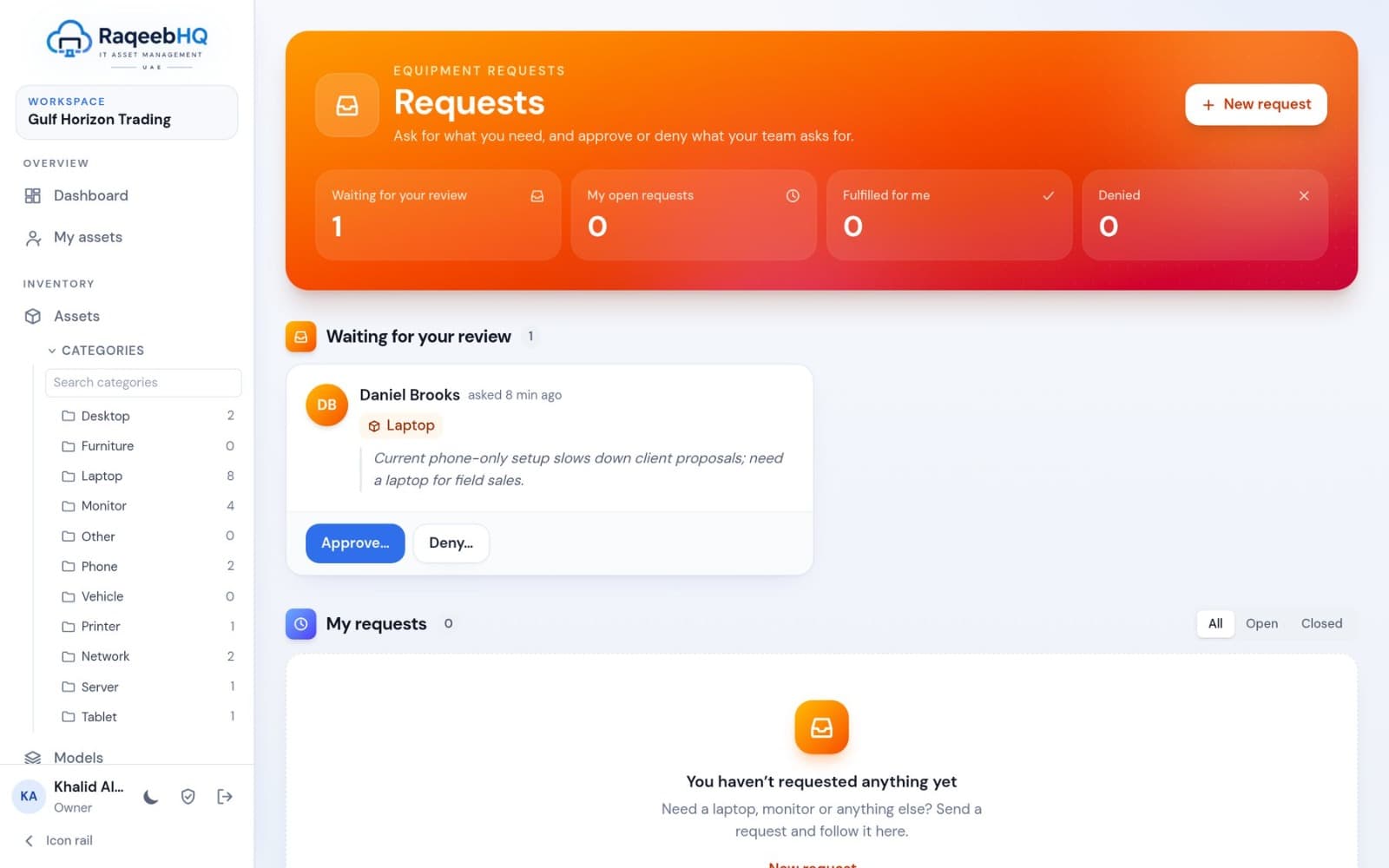
Ask, approve, fulfil
Employees request equipment by category or model and give a reason. Approving picks an available asset and checks it out in one step, so the request, the handover and the acceptance are linked.
- A badge shows approvers how many requests wait
- Denials carry a note back to the requester
- Optional emails when requests are created, approved, denied or fulfilled
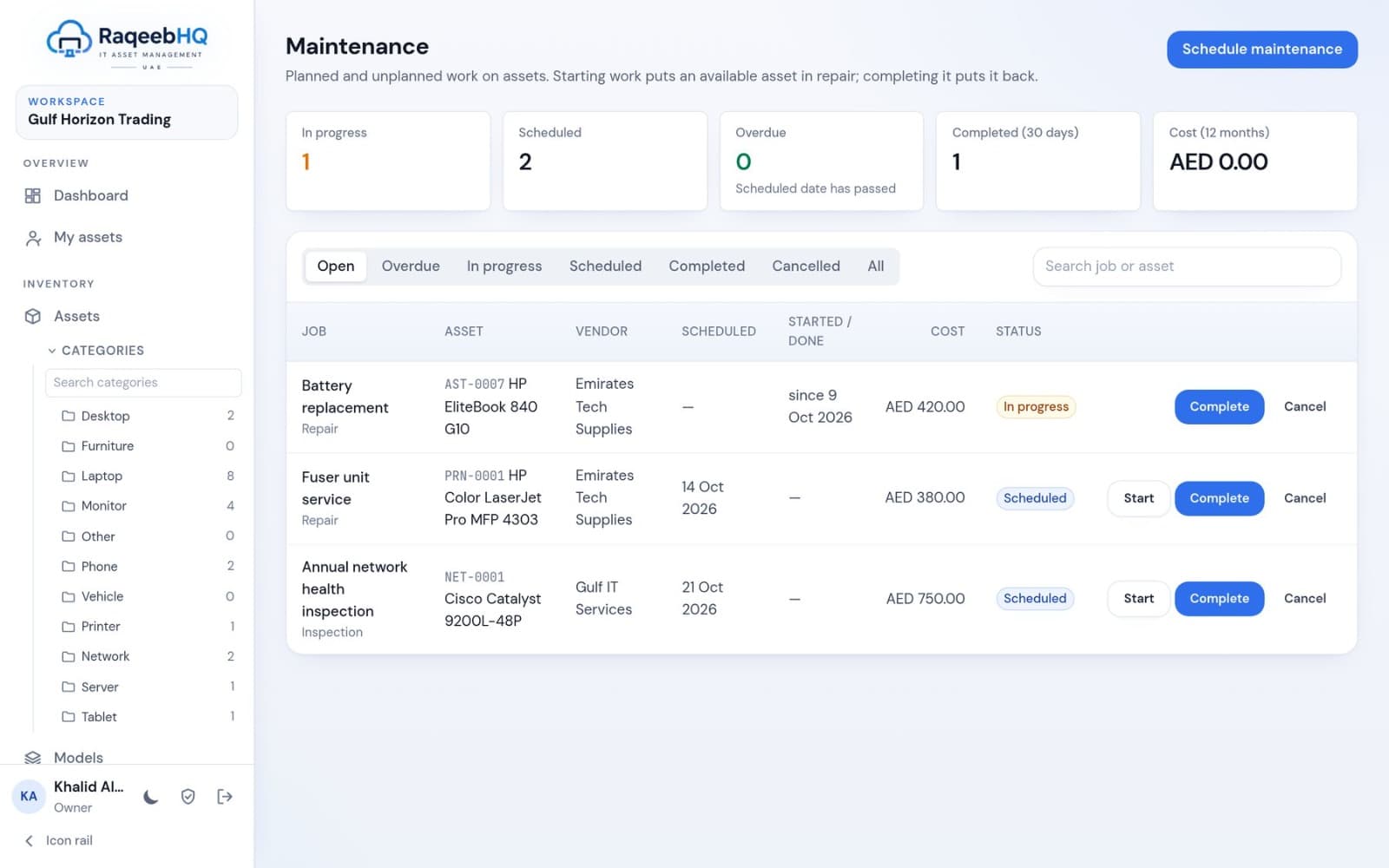
Keep it running
Planned and unplanned work: repair, preventive, upgrade, inspection or calibration. Starting work puts an available asset in repair; completing it puts it back. Track vendors, schedules and 12-month cost.
- In progress, scheduled, overdue and completed at a glance
- Costs per job and per vendor
- Open jobs are cancelled automatically on disposal
Retire it properly
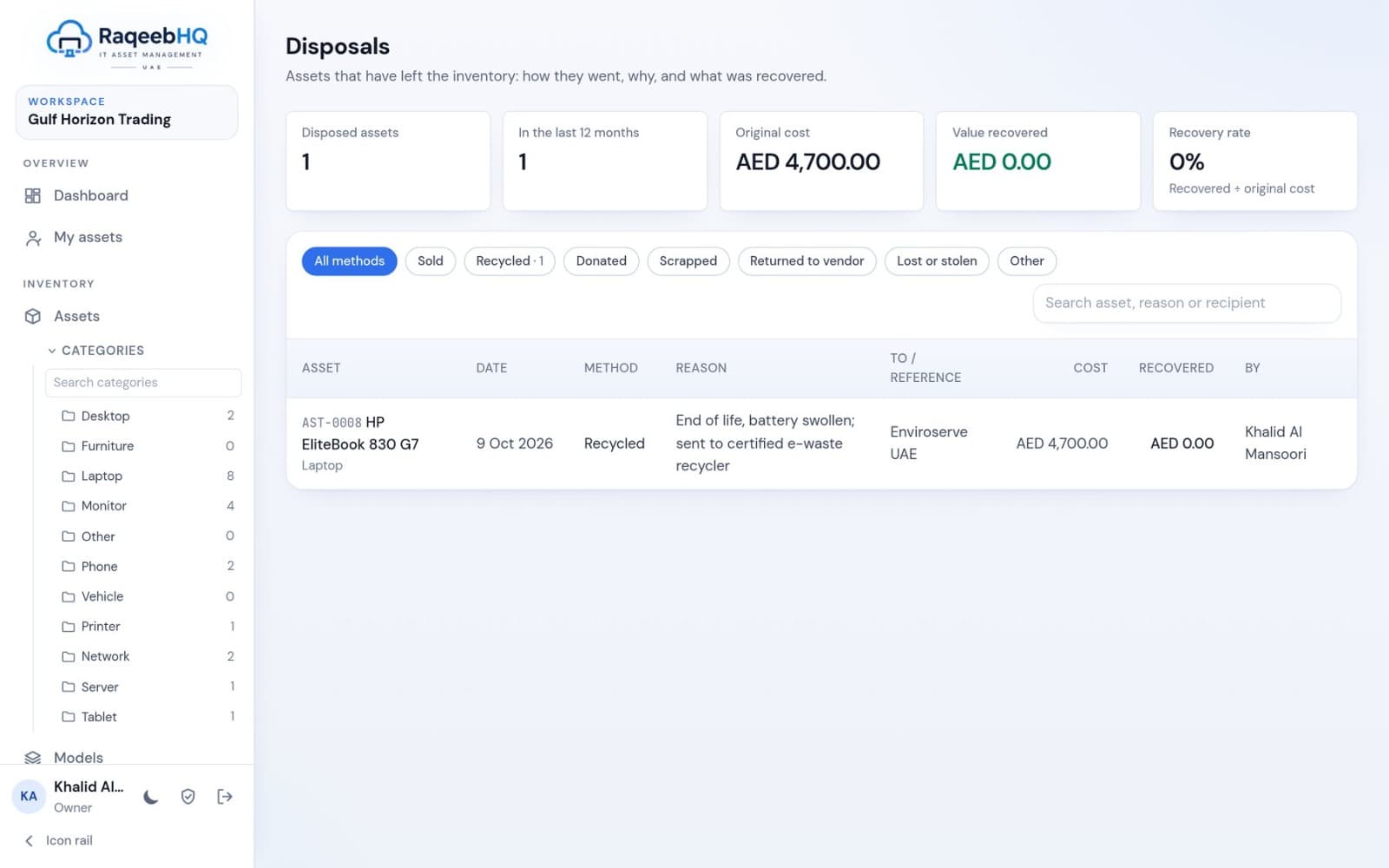
Assets that have left the inventory: how they went, why, and what was recovered. Sold, recycled, donated, scrapped, returned to vendor, or lost or stolen. The register auditors ask for.
- Method, reason, recipient, reference and value received
- Recovery rate against original cost
- Restore a disposal made by mistake
Seats, spend and renewals under control
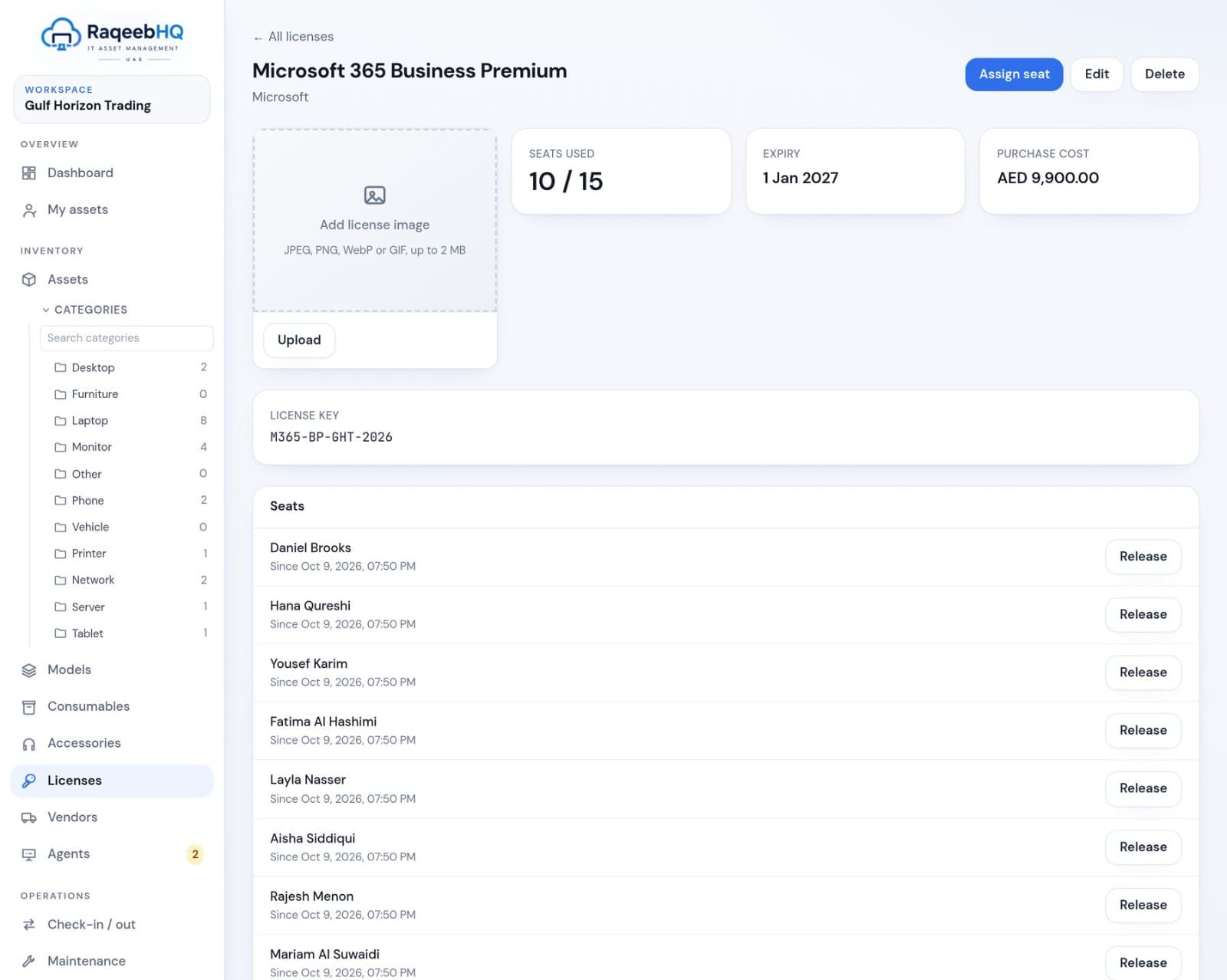
Track each subscription with its vendor, key, seat count, cost, purchase and expiry dates. Seats are assigned to a person (Microsoft 365, Adobe, Zoom) or to a computer (endpoint security), and released when they leave.
- Seats used, free seats and total spend
- Renewals coming up in the next 60 days
- Each license keeps its own change history
Stock that warns you before it runs out
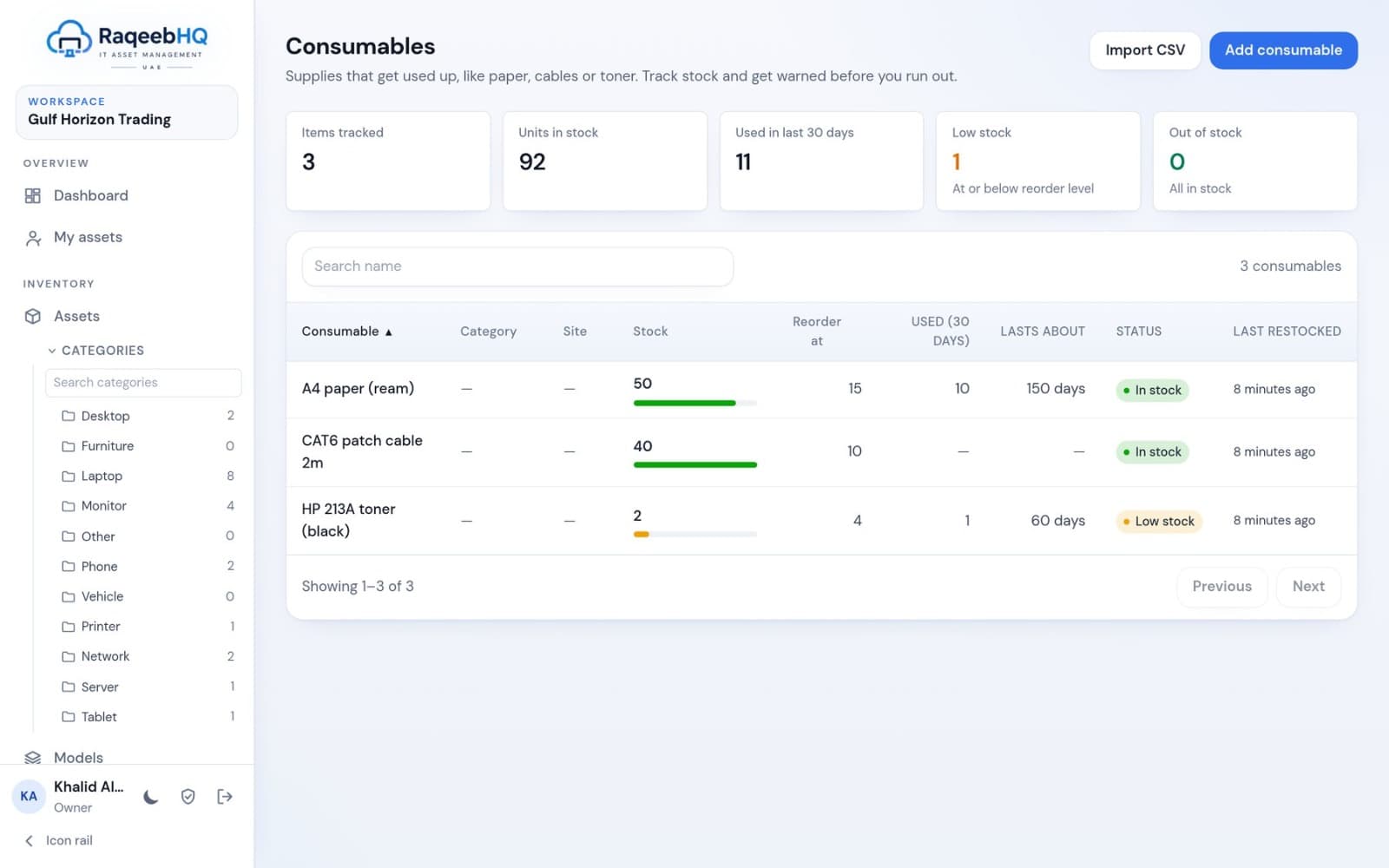
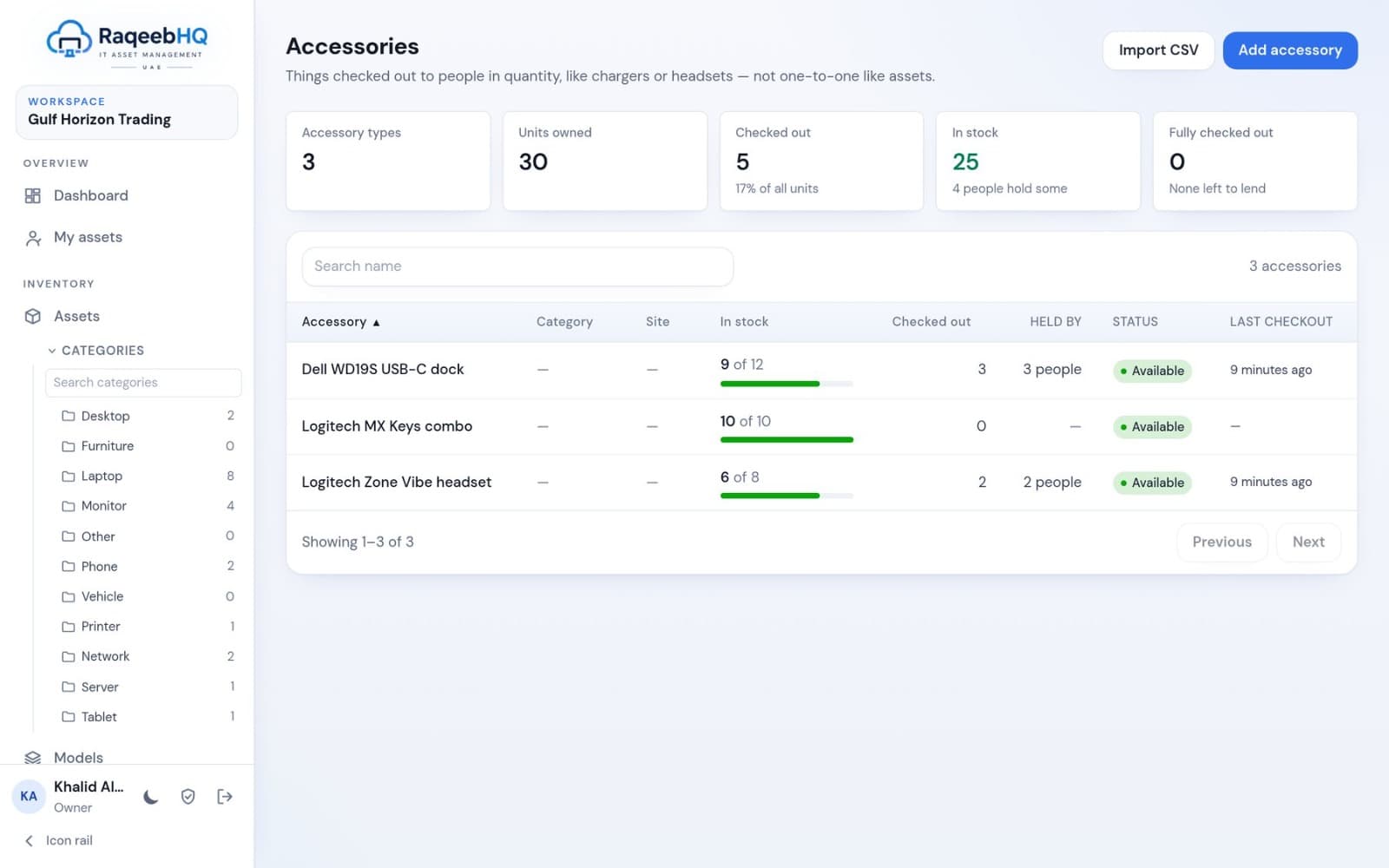
Consumables are used up (toner, paper, cables): set a reorder level and see how long stock will last. Accessories are lent and returned (docks, headsets, keyboards): track total, checked-out and available quantities.
- Reorder levels and low-stock status
- “Lasts about” forecast from recent use
- Check quantities out to a person, department or asset
Consistent data from the start
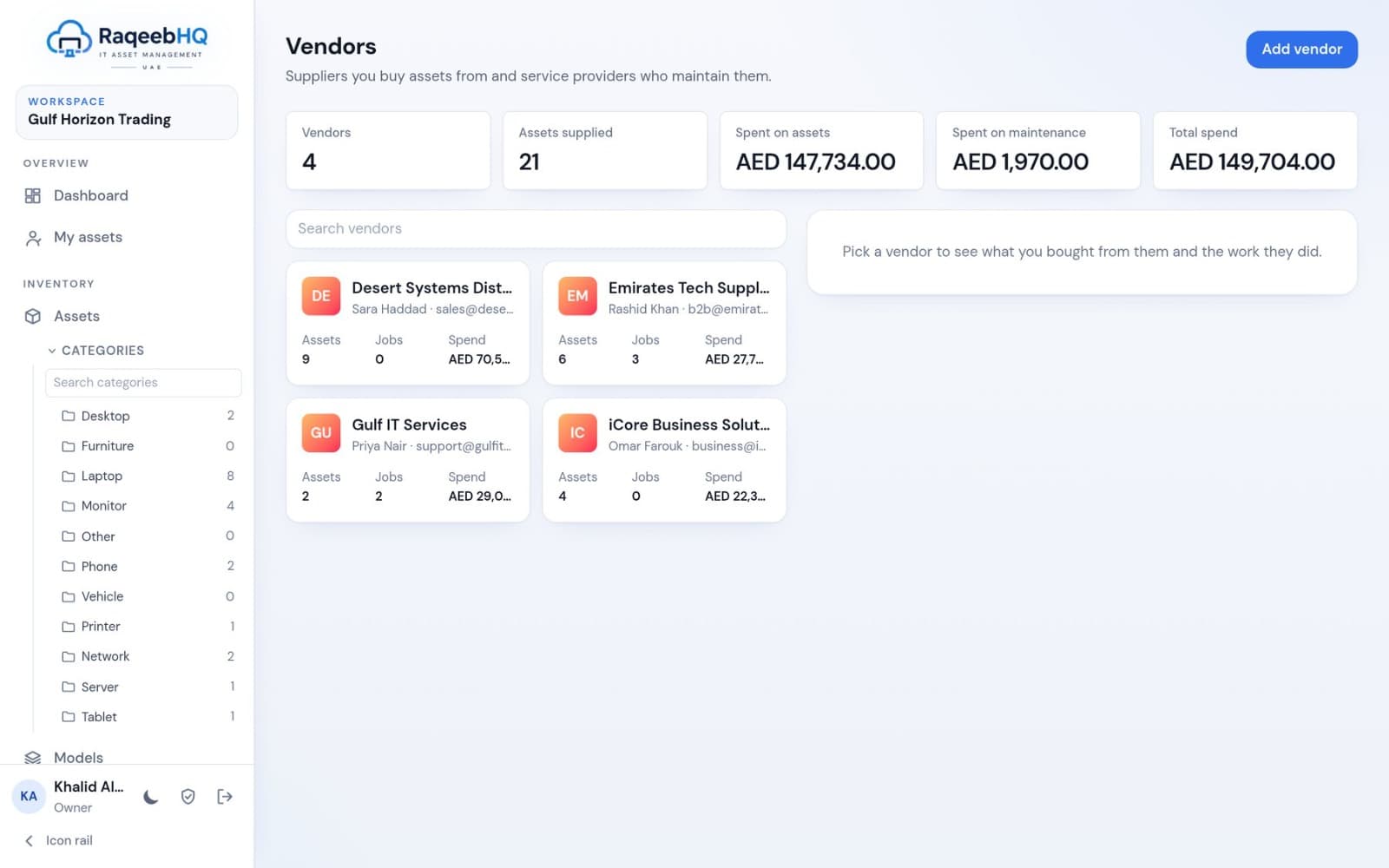
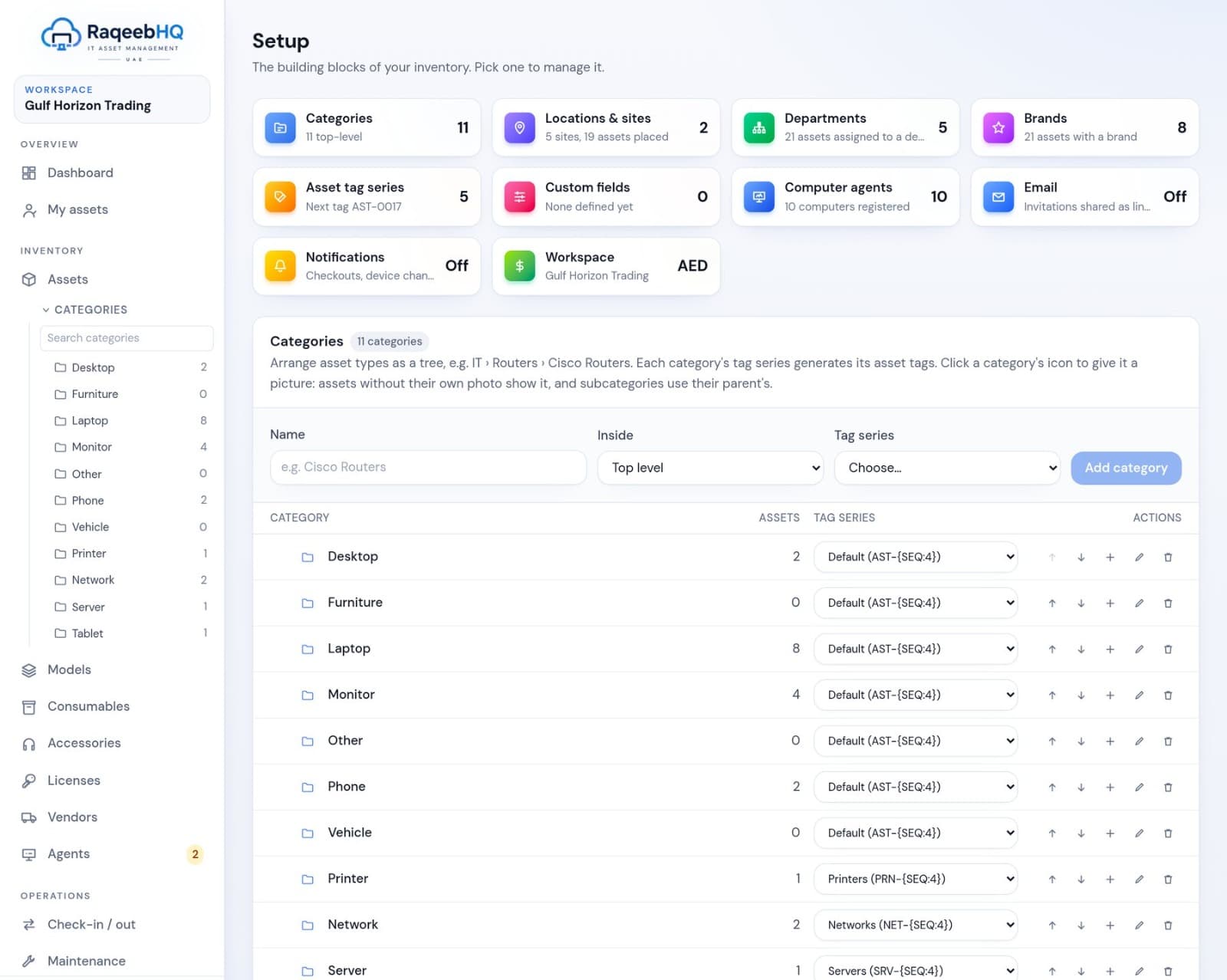
Categories with subcategories, tag series and custom fields; sites and locations; departments; brands; vendors with contacts; and asset models that generate assets in bulk from a list of serial numbers.
- Spend on assets and maintenance per vendor
- Everything configured from one Setup page
- Workspace currency of your choice, such as AED
Answers, not exports to clean up
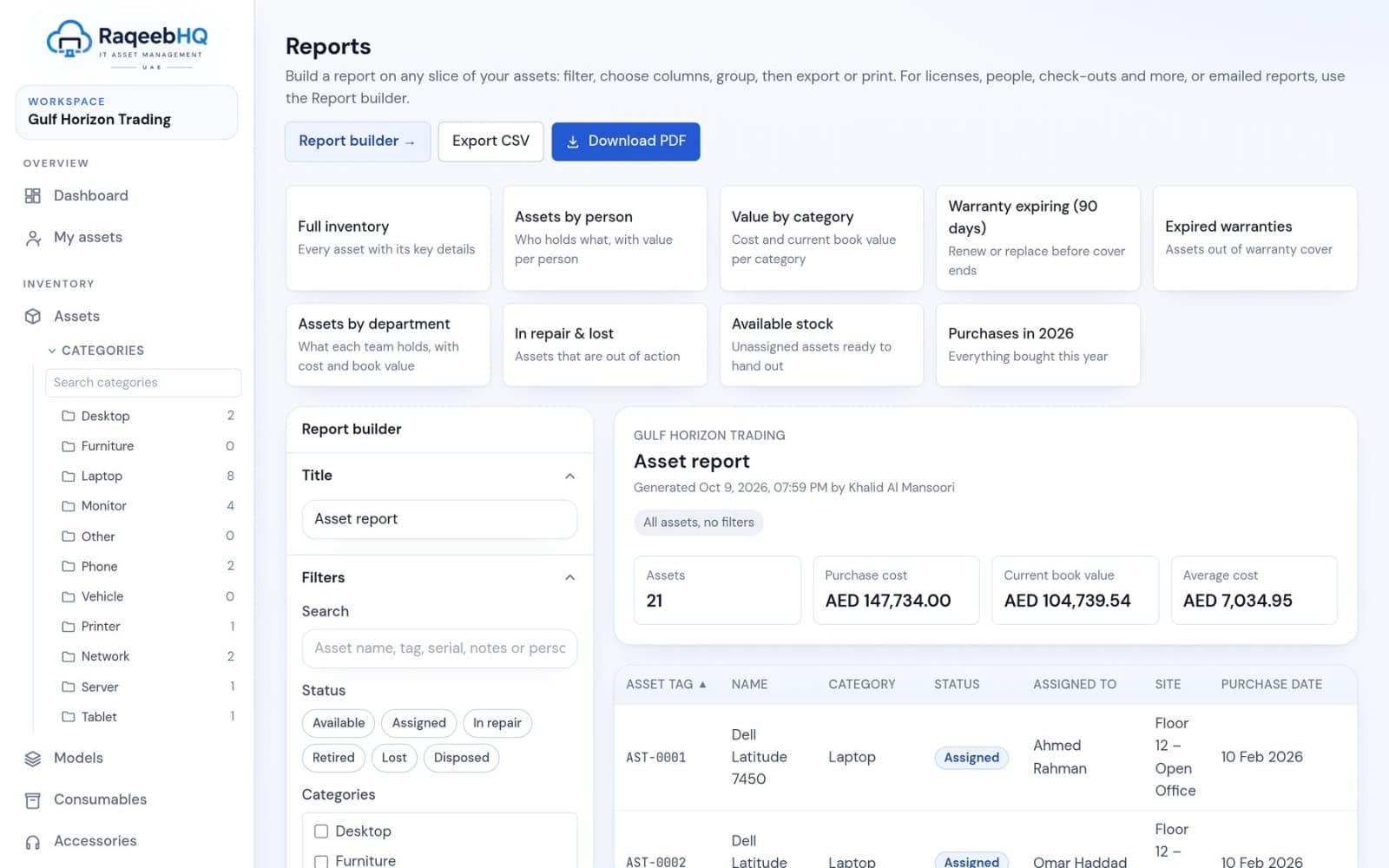
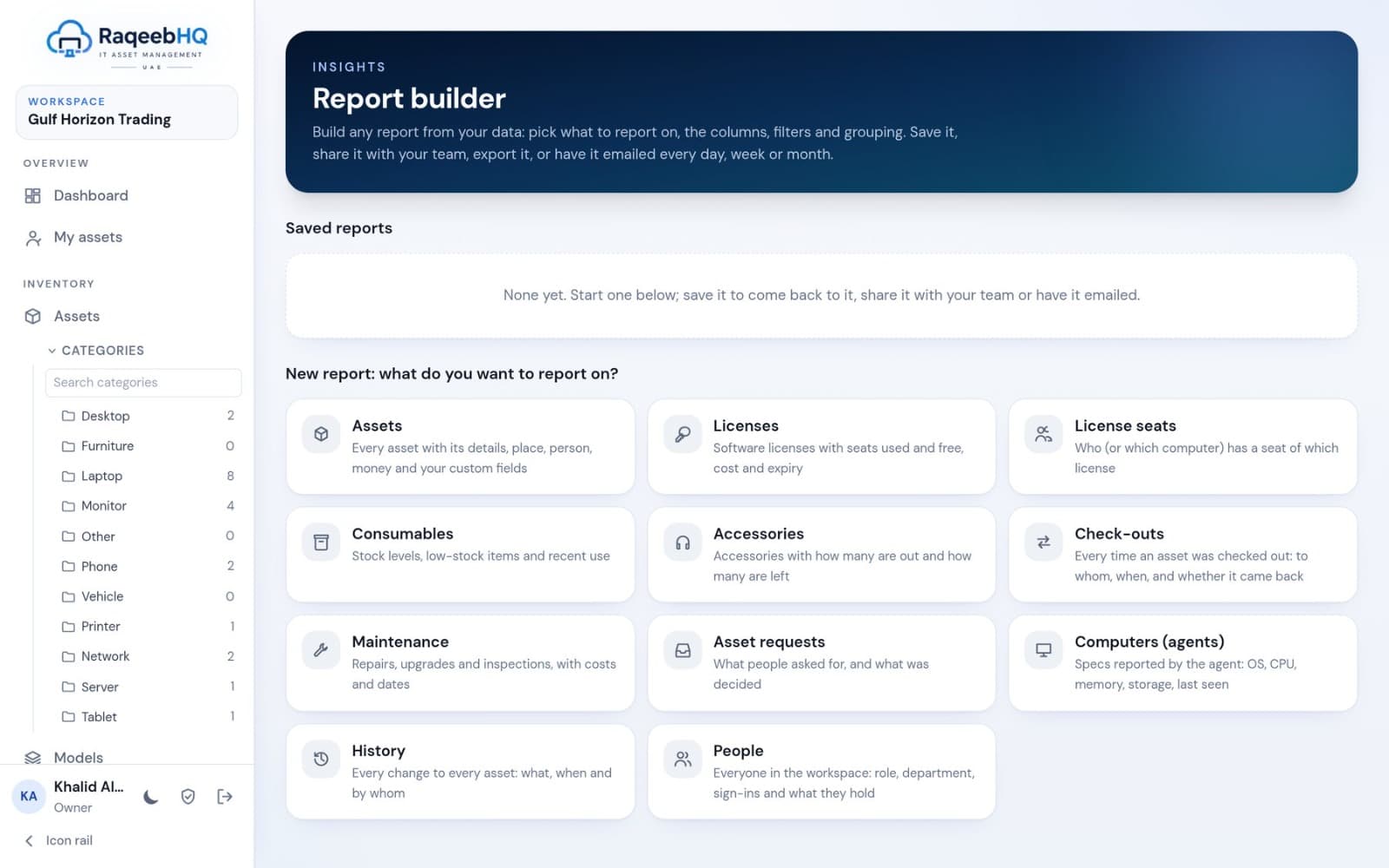
One-click reports for the questions people ask most, and a builder for everything else: pick the data, filters, columns, grouping and sorting, then save, share or schedule it by email.
- Full inventory, assets by person, value by category and more
- Scheduled email reports: daily, weekly or monthly
- Every report exports to CSV and a formatted PDF
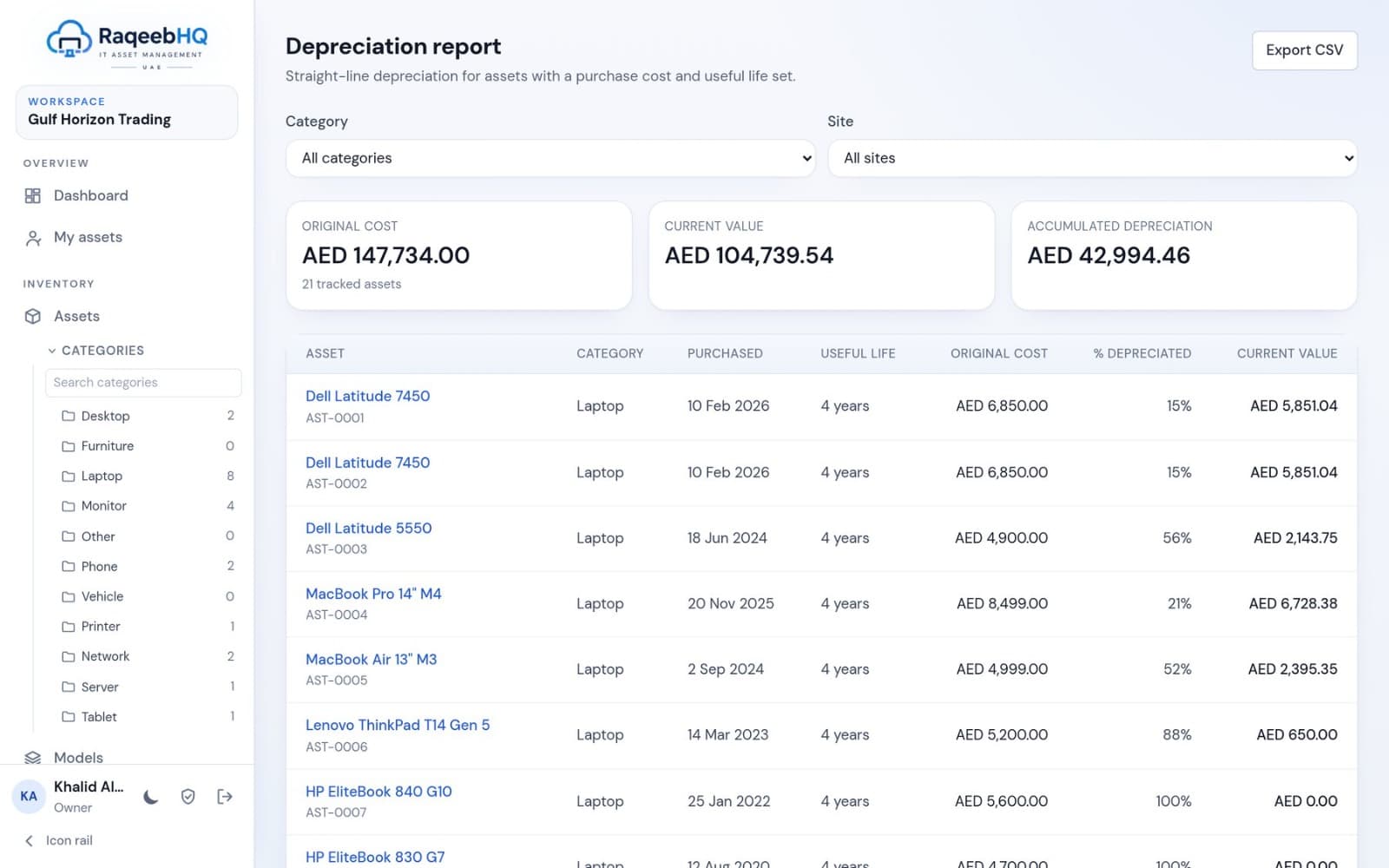
Book value, always current
Straight-line depreciation from purchase cost, purchase date, useful life and salvage value gives the current book value of each asset and the totals by category and site.
- Original cost, current value and accumulated depreciation
- Filter by category and site
- Export to CSV for your accountants
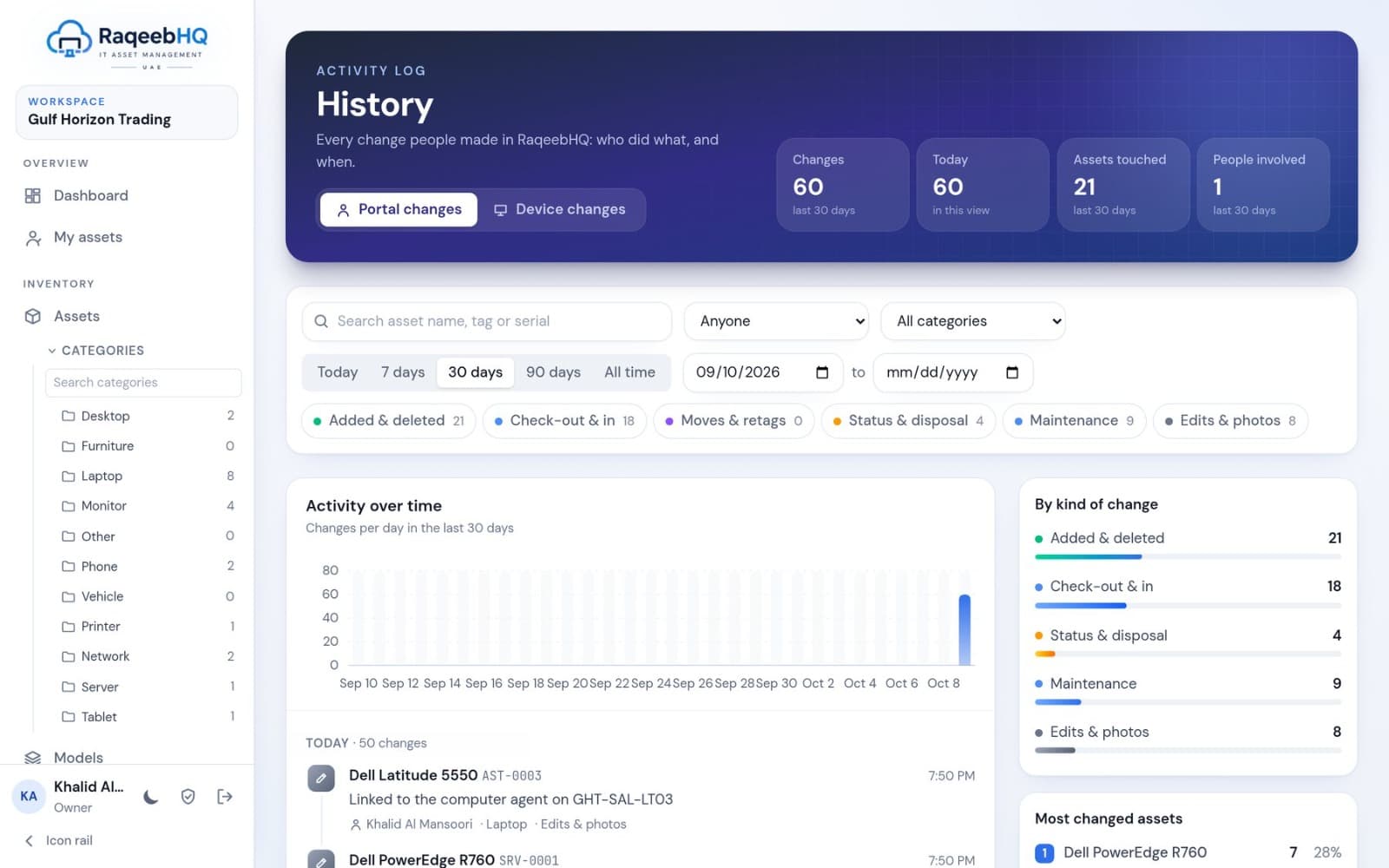
Who did what, and when
A workspace-wide timeline of every change: assets created and edited, check-outs, receipts signed, moves, maintenance, disposals, license seats, stock movements and agent-detected hardware and software changes.
- Filter by type, person, asset or date
- Portal changes and device changes side by side
- Email notifications through your own mail server
See your estate clearly, starting today.
Start a 30-day free trial on Starter with no card, install the agent on a few computers and watch your register fill itself.